How to Invite Teams and Set Roles
You can add users or team members to Quick Hub and assign their roles for either a single location or multiple locations.
Follow the steps below:
-
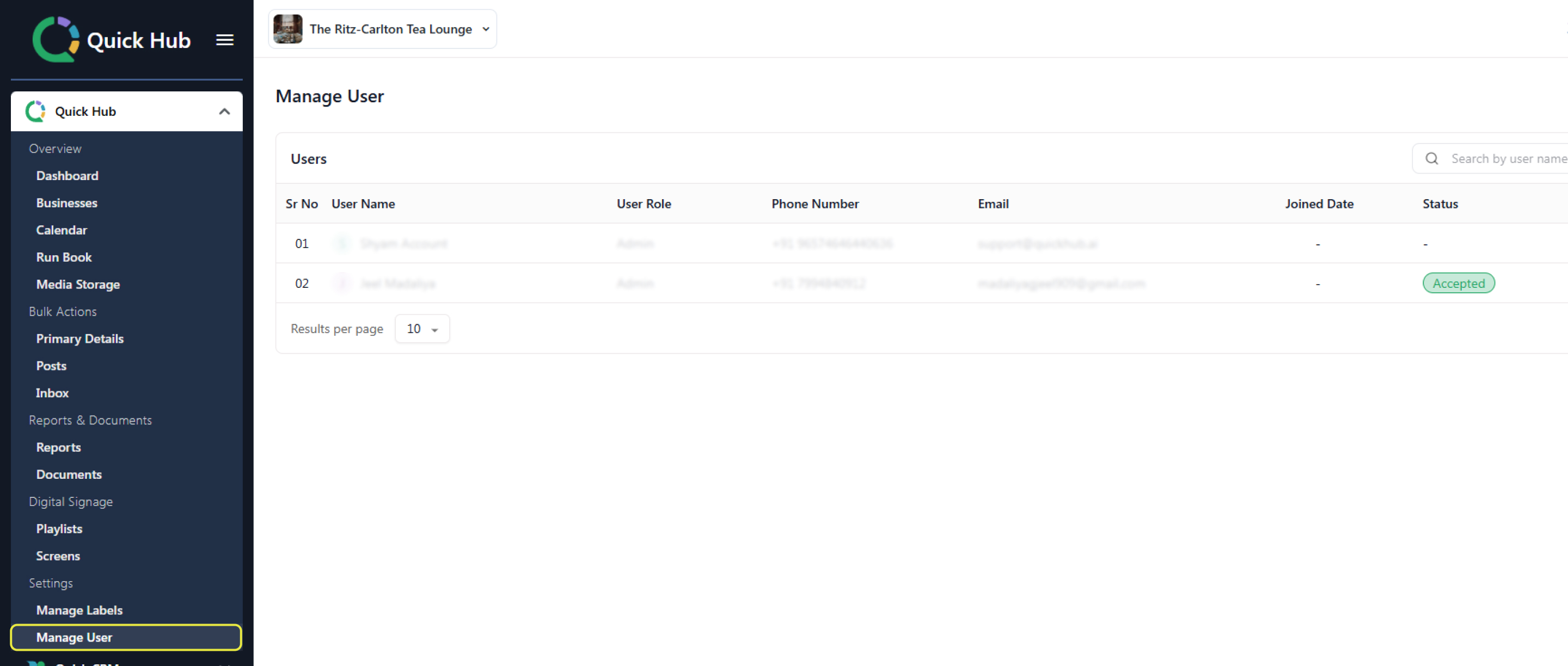
In the Quick Hub app, on the left-hand side, click on Option 1, Quick Hub.
-
Under Settings, click Manage User.
-
Click Add User at the top right corner.
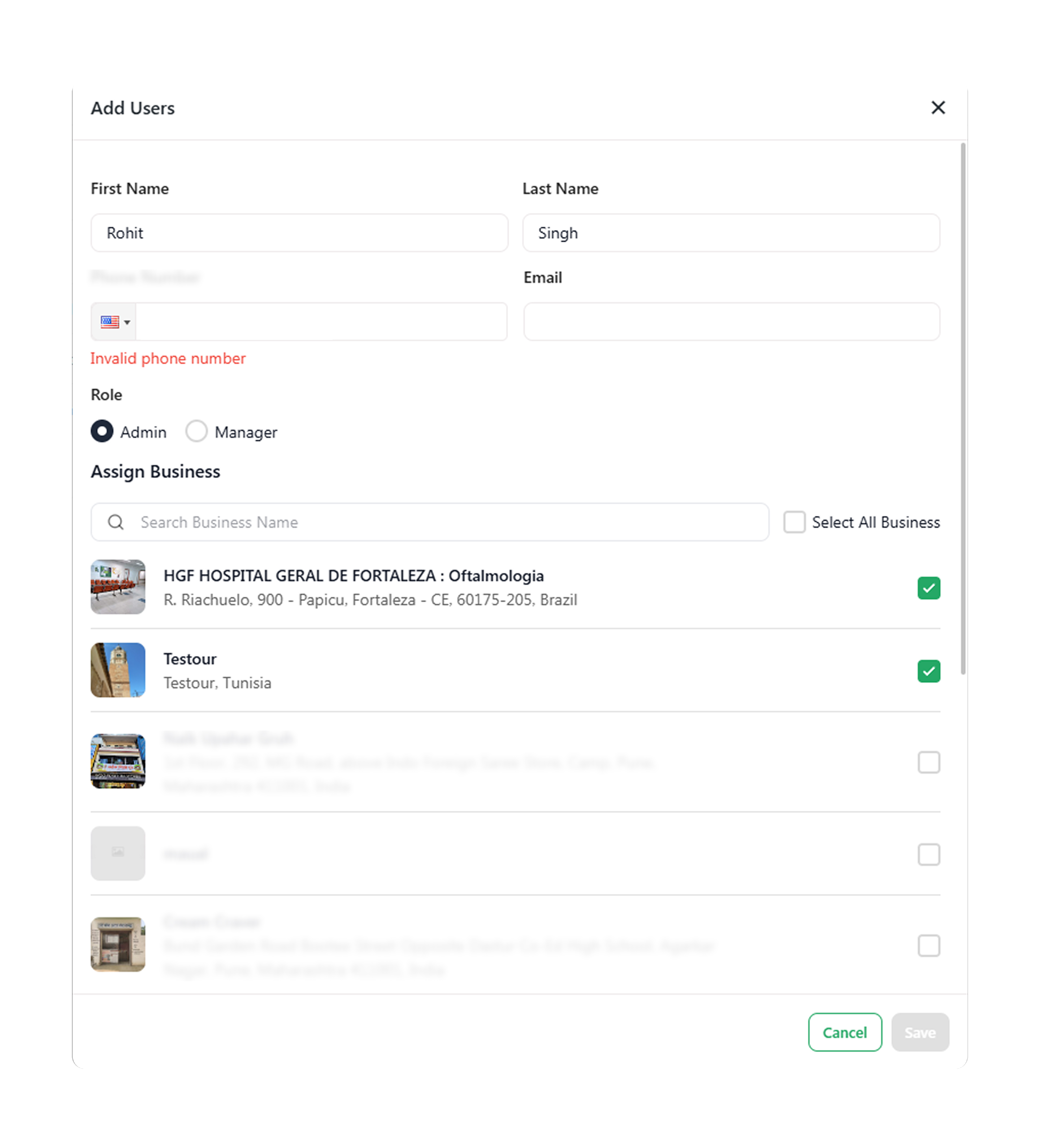
- Enter the user's first and last name, phone number, email, and assign a role.
-
Click Save.
-
Once you click Save, an email will be sent to the user or team member. They can join using the link provided in the email.