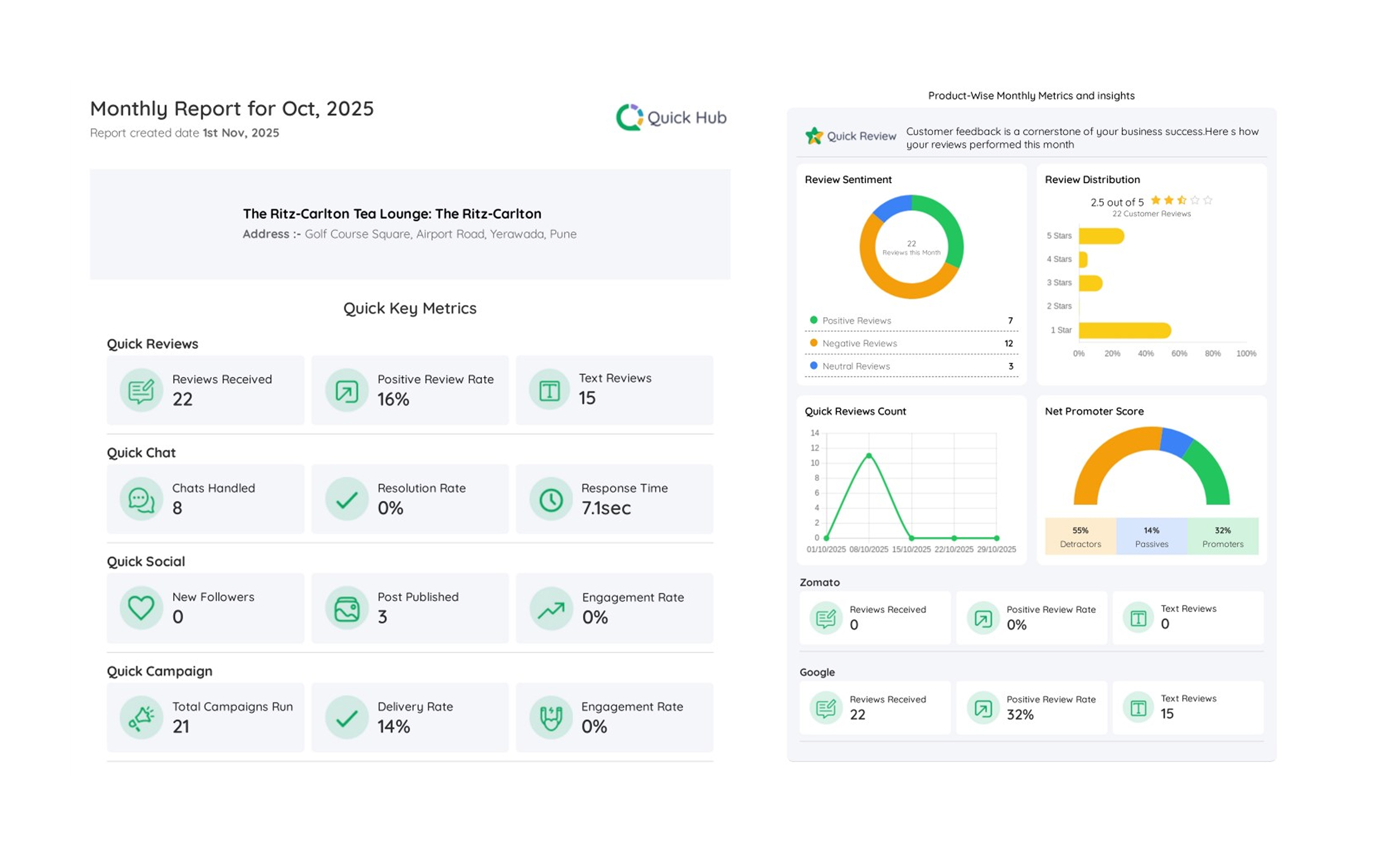
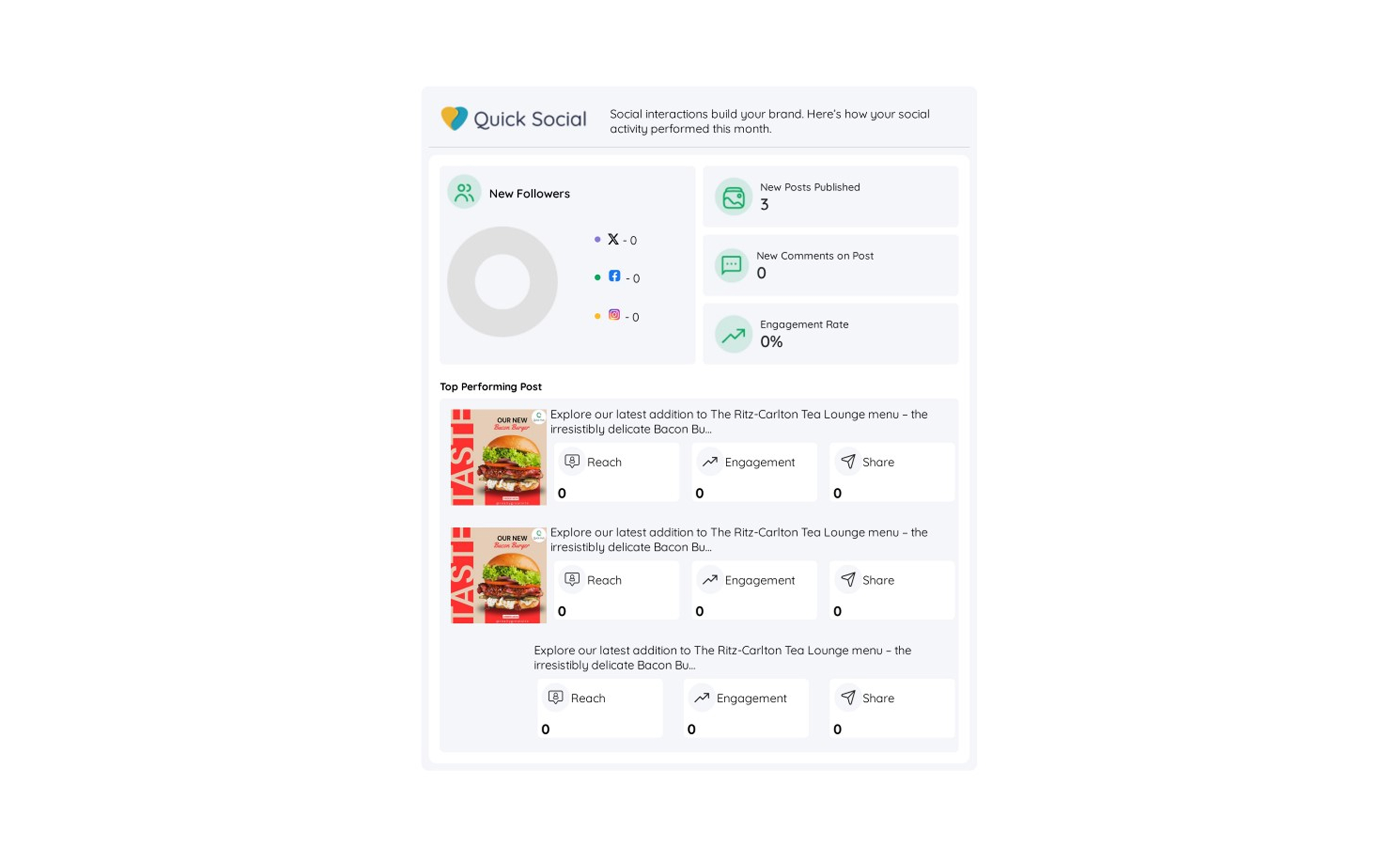
How to Check Online Reputation Reports and Monthly Reports in Quick Hub
You can compare the metrics for your business with competitors in a single view. Follow the steps below:
- Go to Quick Hub.
- Under Reports & Documents, click Reports.
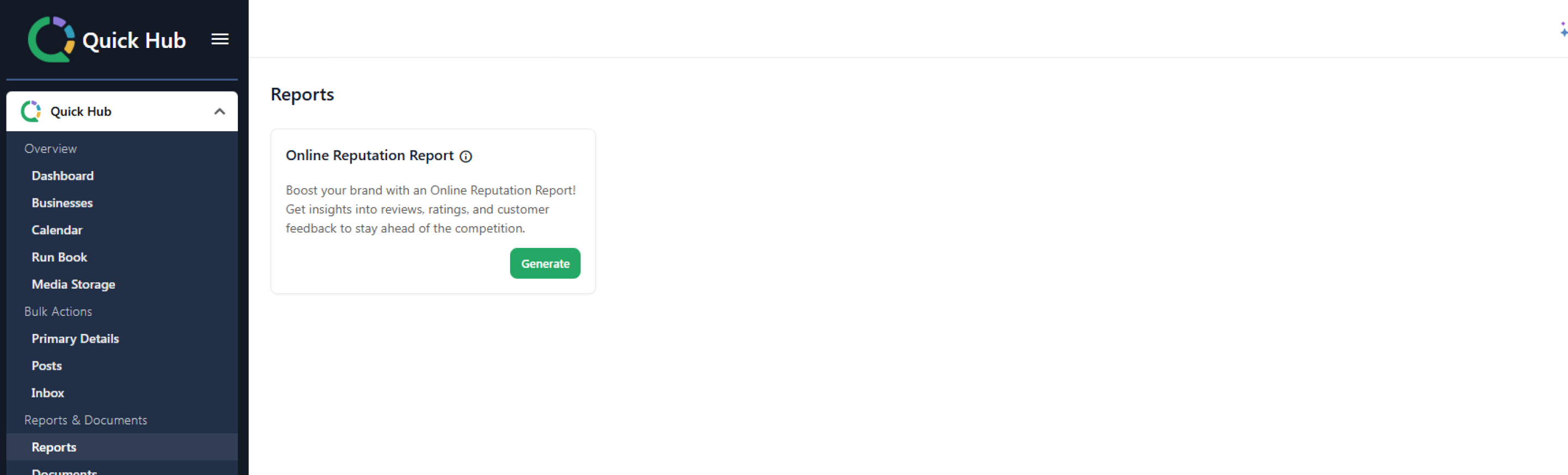
- Click Generate.

- Click Select Duration; you can choose from the last 7 days, the last month, or a custom range.
- Select a group, business, or label.
- Then select the business you want to get the comparative analysis for.
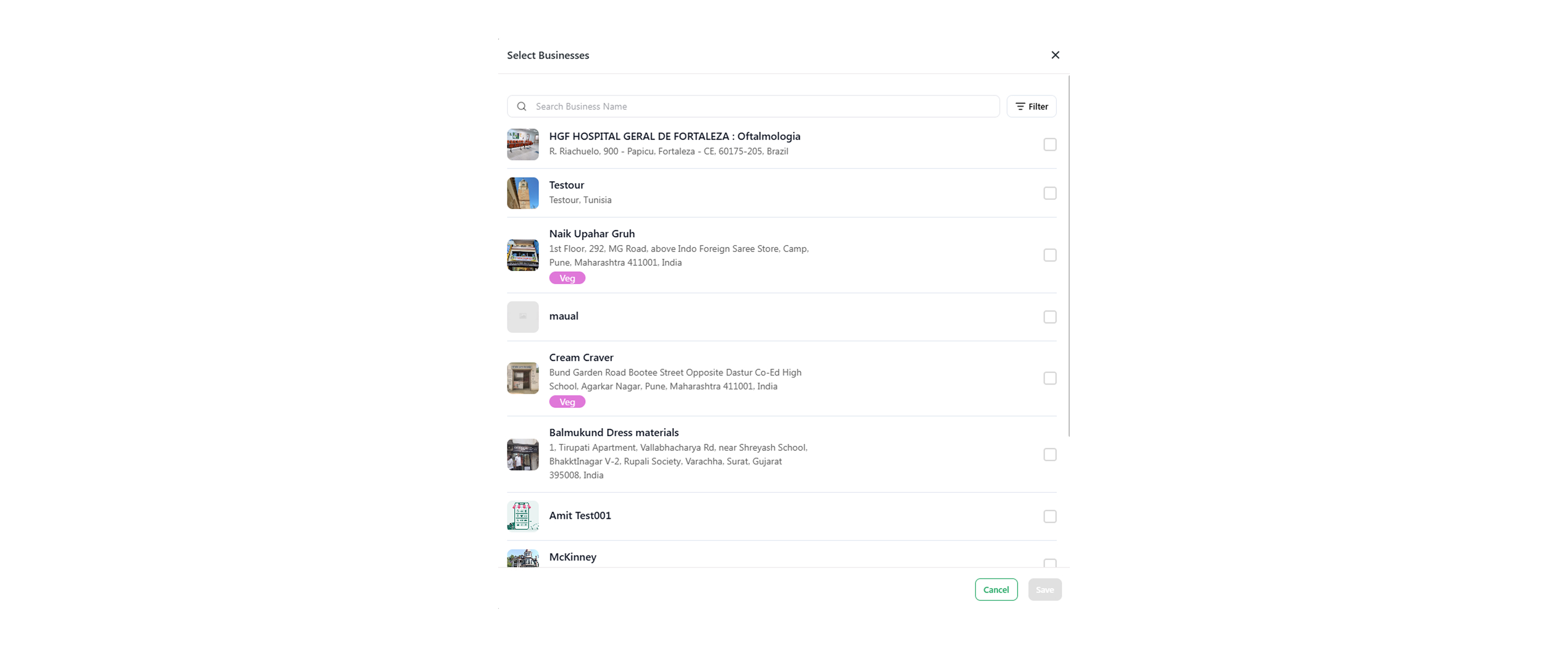
- Click Save.
- Click Create Report.
- The reports for your search will appear below.
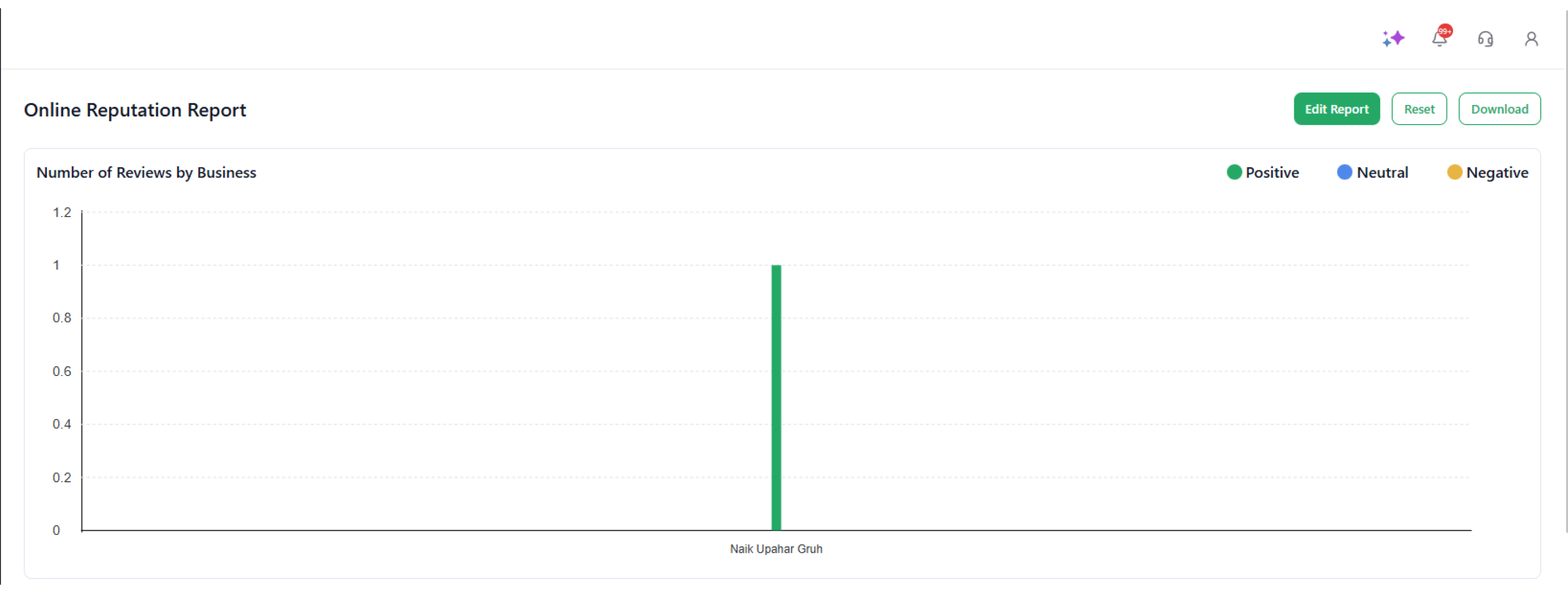
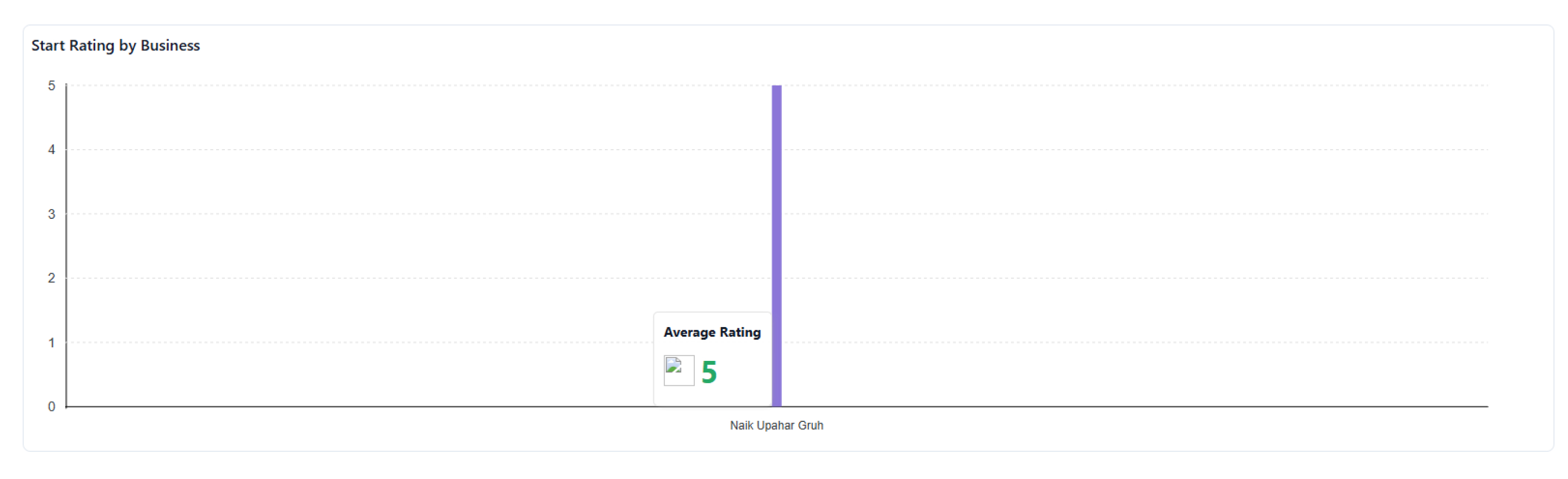
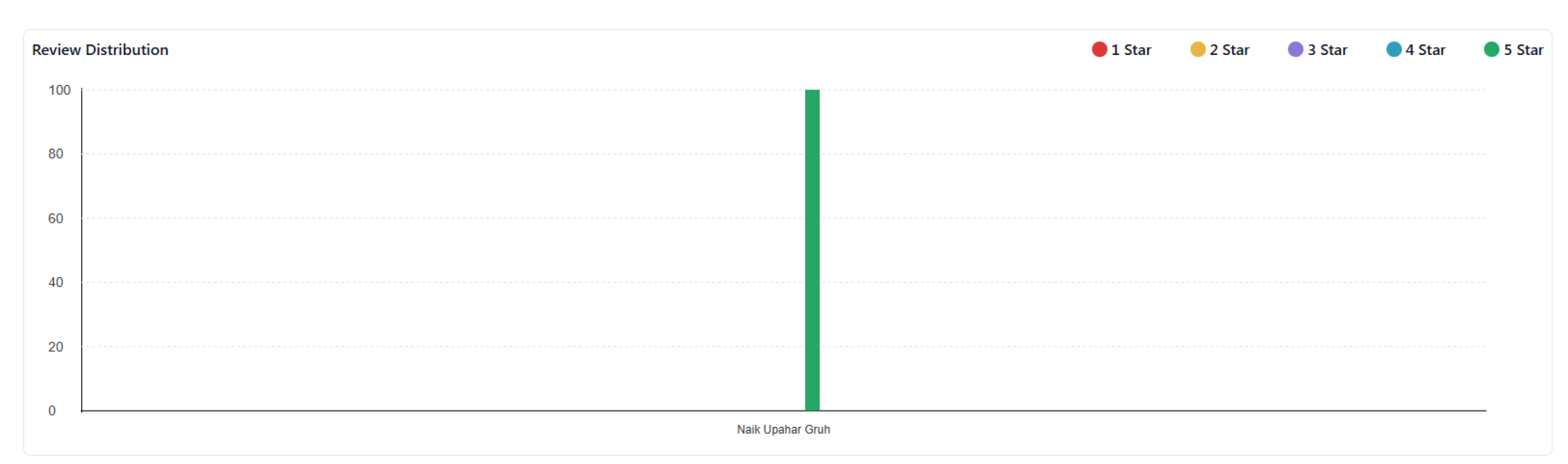
- To view your monthly performance and reports in detail, click Documents.
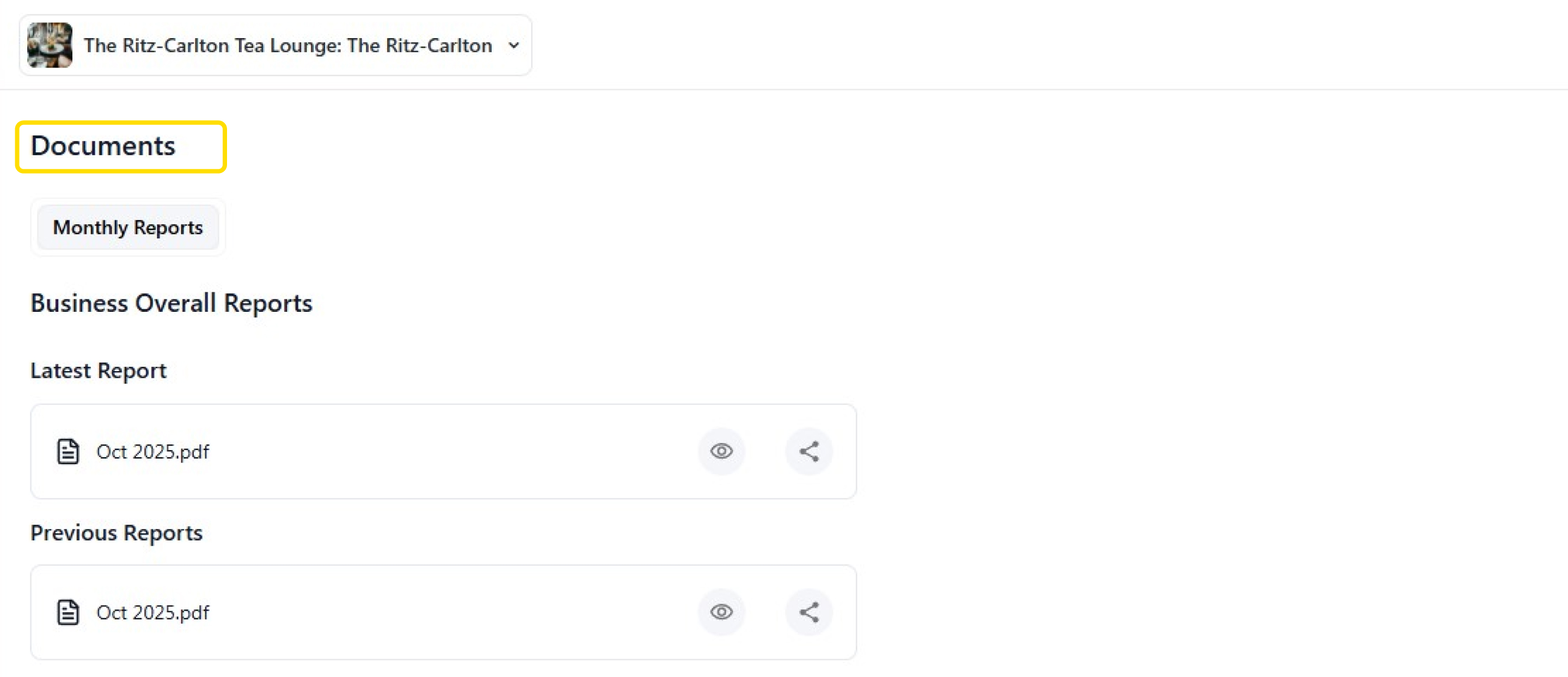
- Click the eye icon to view the monthly report for the month. Below are a few examples of the reports.