How to Connect Social Media with Quick Hub
You can now connect your social media accounts (Facebook, Instagram, X, and LinkedIn) to your Quick Hub account by following these steps:
-
Go to Quick Hub.
-
There are three ways to connect your social media to Quick Hub. Let’s discuss them one by one.
-
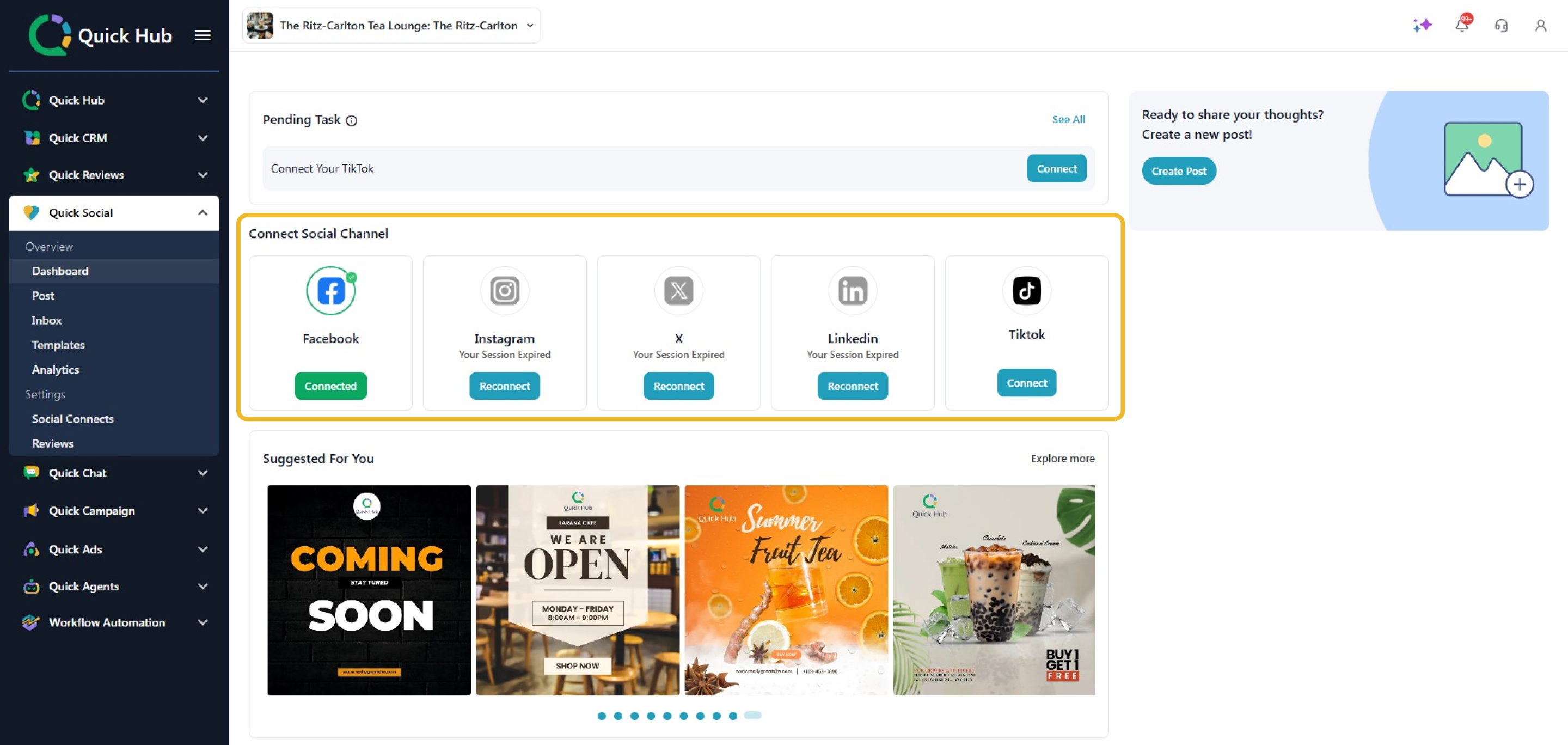
On the left side, click Quick Social, and select Dashboard from the dropdown.
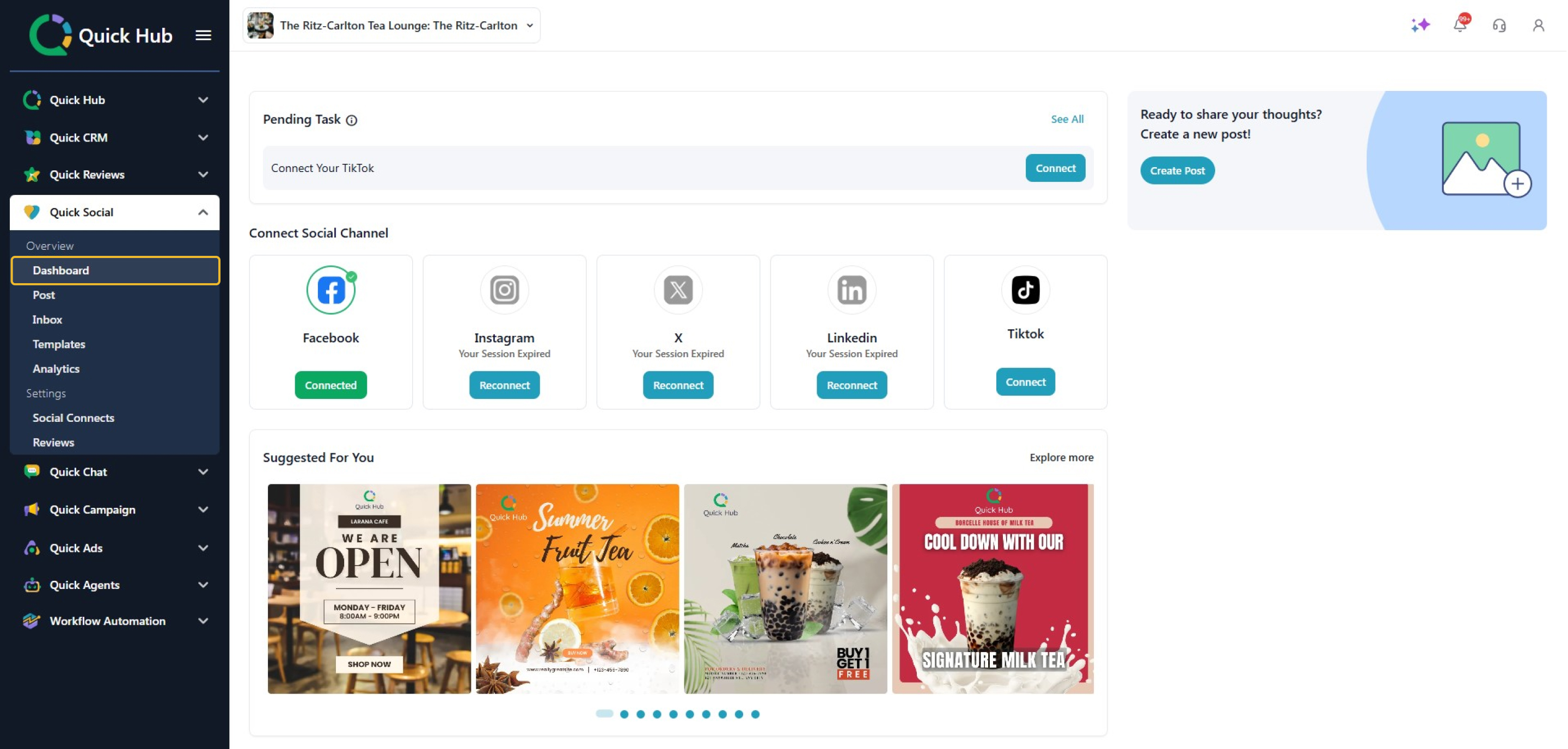
- The first way is through the Pending Task card. Here, you will see all the pending tasks. Click See All to open them.
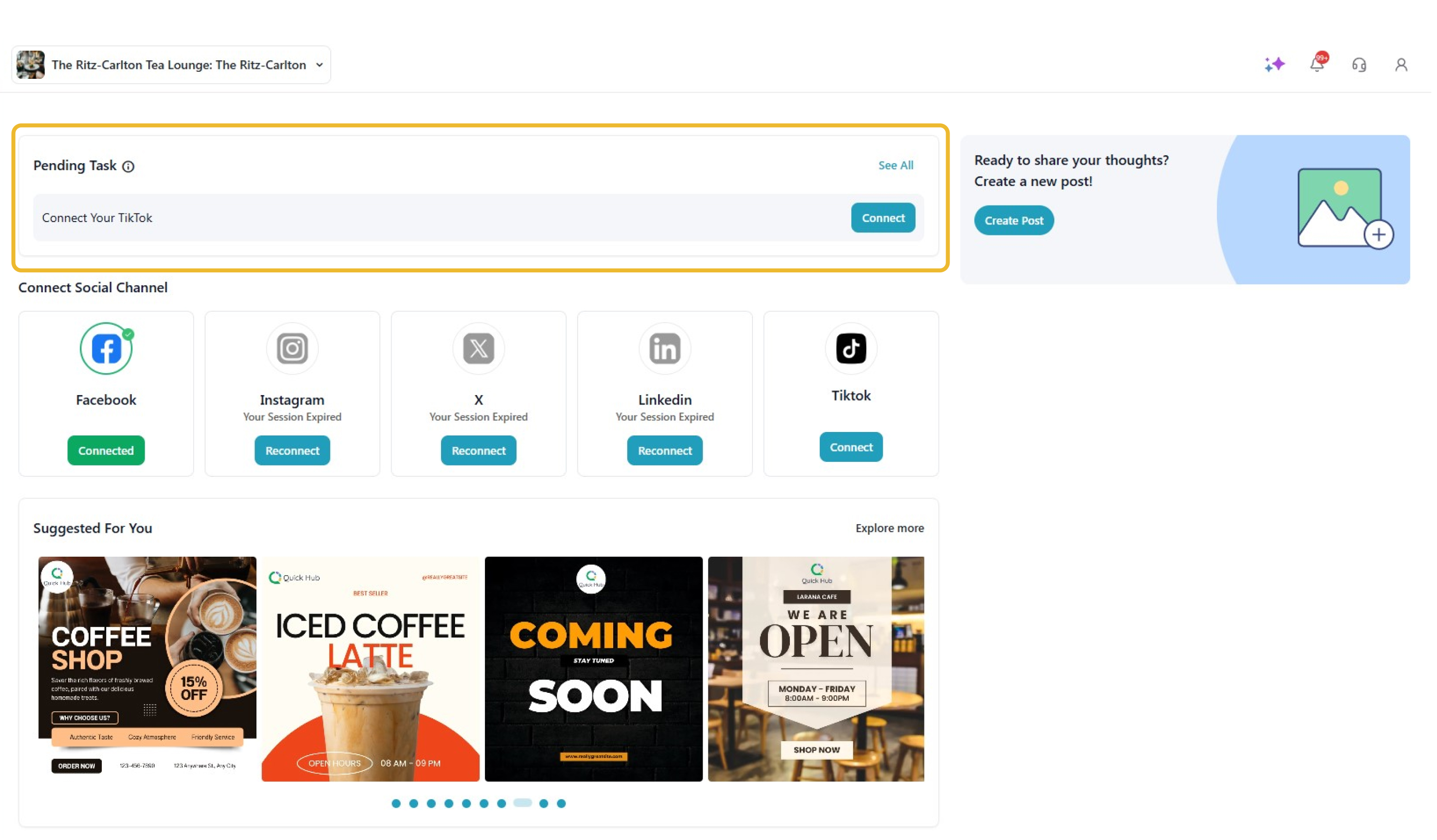
- Click Connect, and enter the login credentials for the social media account you want to add.

-
Once you have completed a task, you can mark it as Mark as Complete.
-
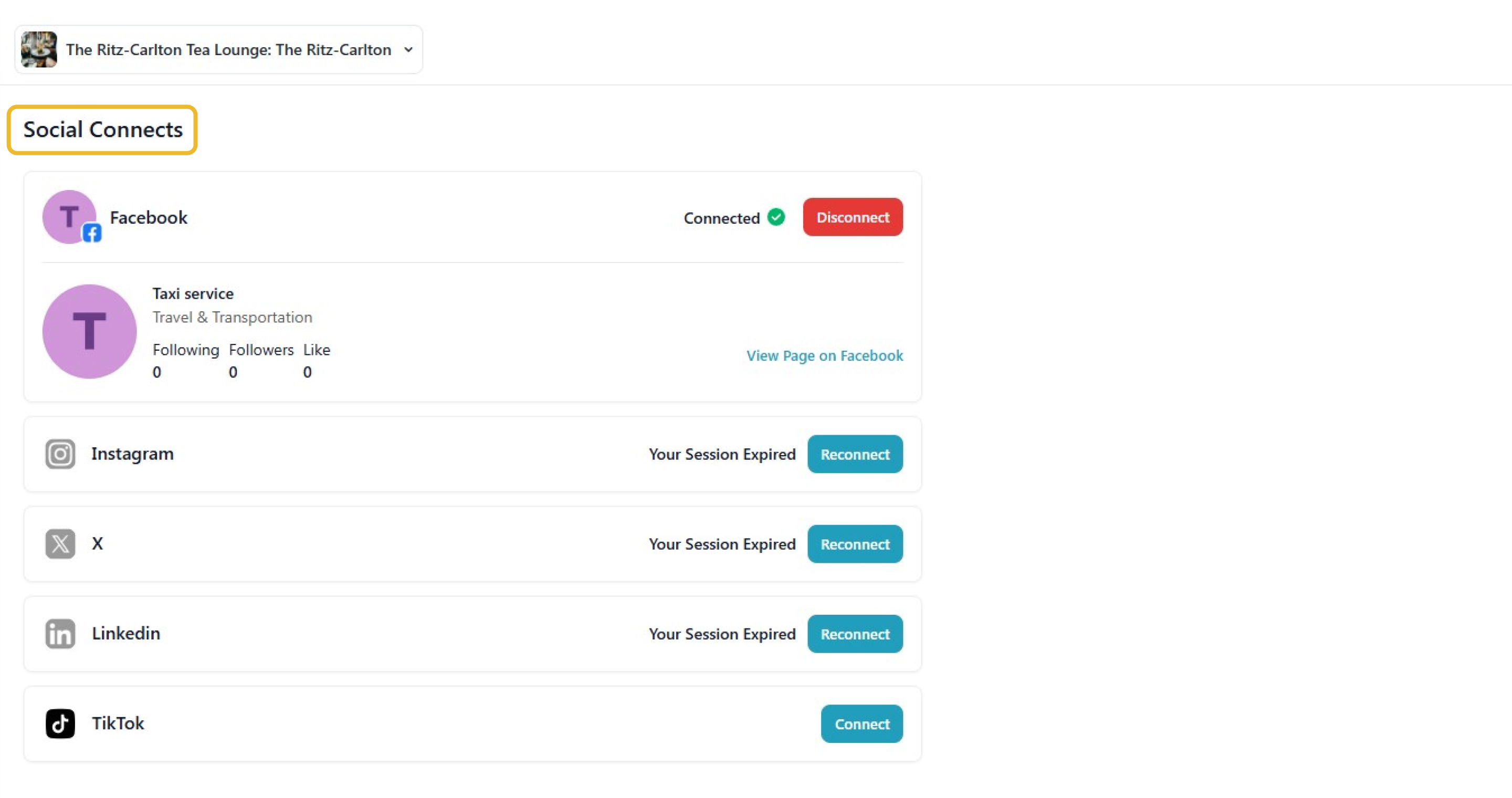
The second way is from Social Connects. Click the Social Connects tab, where you can connect platforms like Facebook, Instagram, X, and LinkedIn.
-
Click Connect to link the desired platform with Quick Hub.
-
The third option is Connect Social Channel from the dashboard. Click Connect below the platform you wish to link with Quick Hub.